
 Last updated: July 18, 2026
 For a long time, the preferred method to run Delta Executor on iOS devices has been via sideloading with apps such as AltStore, ESign, or KSign. However, there is an alternative that is quicker and bypasses all that: the Direct Install method. This guide explains what it is, how to use it, and how to resolve the more common errors that accompany it.
What Is Direct Install?
With Direct Install, iOS users can install Delta Executor directly from the official site, bypassing the need to download an IPA file and sign it with a third party first. It is not a separate app sideloaded onto the iPhone or iPad, but is instead a process that runs through an enterprise certificate and is trusted using the device's settings.
This can be a significant improvement over the standard IPA route. However, Direct Install links expire more frequently than paid or premium versions, as the certificate used is distributed to many devices and is periodically flagged as suspicious by Apple. It is not unusual to reinstall every so often with this method.
What You Need Before Installing
-

An iPhone or iPad running a compatible version of iOS
-
Safari browser (installation prompts are difficult to trigger properly in other browsers)
-
A stable internet connection
-
Approximately 200–300MB of free storage space
Step-by-Step Installation
Step 1: Open Safari and Go to the Official Website
It is important to stick to the official site, as there are many fake or cloned pages in this niche that can install unwanted profiles.
Step 2: Click on the "Direct Install" Option
This takes you to its own Direct Install page.
Step 3: Click "Direct Install" Again
The second tap is what actually begins the download.
Step 4: Give Permission for Installation
A pop-up will request to download a configuration profile. Tap "Allow" to begin the install process.
Step 5: Trust the Enterprise Profile
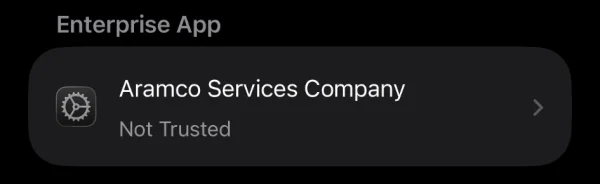
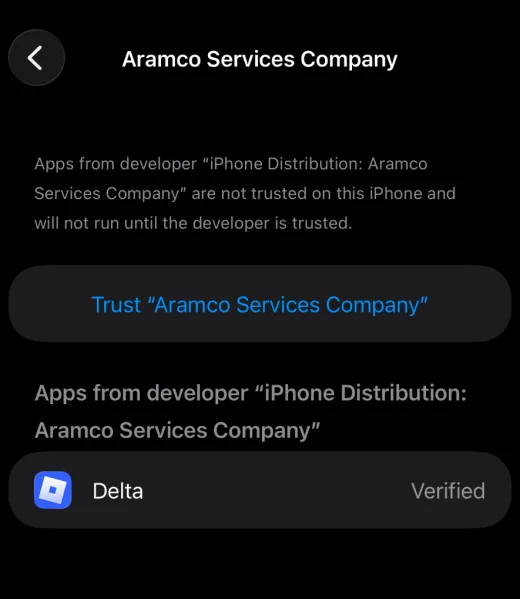
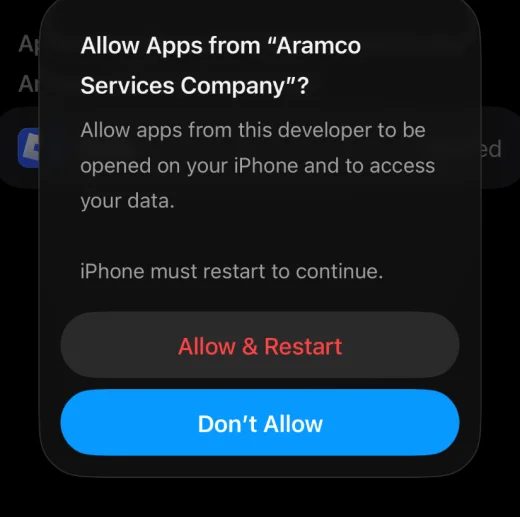
Go to Settings > General > VPN & Device Management, locate the Delta Executor profile under "Enterprise App," and tap Trust to confirm.
Step 6: Restart the Device
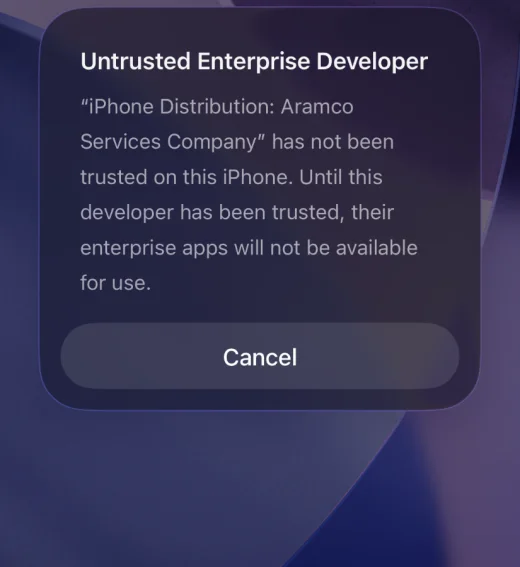
This resolves the "Untrusted Enterprise Developer" error that can appear if the profile is not properly trusted before the first launch.
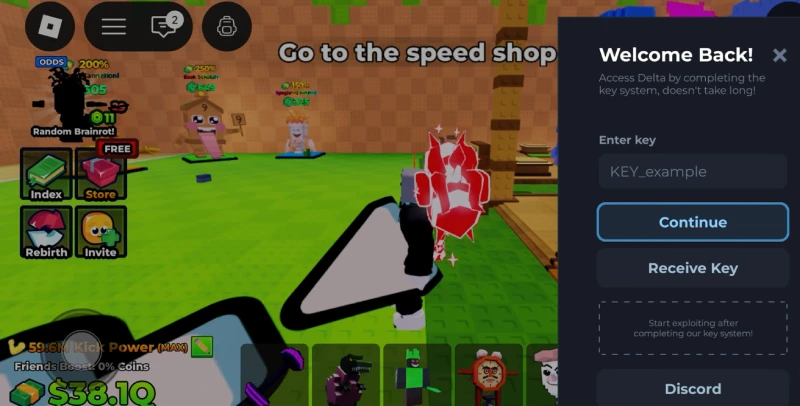
Step 7: Open the App and Enter a Key
If the app opens without crashing, it may ask you to enter a key before scripts can be run within Roblox.
How to Resolve the "Untrusted Enterprise Developer" Error
This is the most frequent problem with Direct Install and is specific to iOS. It appears when the app is launched before its certificate has been manually trusted. The fix:
-
Go to Settings > General > VPN & Device Management
-
Tap the Delta Executor profile under Enterprise App
-
Tap Trust and confirm if prompted
-
Restart the device
-
Reopen the app
This error does not affect Android users, as it relates specifically to how iOS handles apps installed outside the App Store.
Other Common Issues
-
Grayed-out or unclickable Direct Install button: This is typically not a device issue but a server or DNS problem. Changing the device's DNS setting to Automatic and retesting, or accessing the site under a VPN, usually resolves it.
-
App crashes immediately after opening: This typically means the certificate has been revoked since installation. Reinstalling from the official site using a current link usually fixes this.
-
Nothing appearing under Enterprise App: This indicates the certificate was not installed correctly and will usually require a fresh reinstall from scratch.
Direct Install vs IPA Method
The IPA method involves downloading the IPA file from Delta and sideloading it via an app such as ESign or AltStore. Depending on the tool used, this can take longer and may require a computer connection.
Direct Install has neither of those requirements and is a standalone process, which is why most users try it first. The trade-off is durability. Shared enterprise certificates behind free Direct Install links may be revoked relatively quickly, while a personal certificate used in the IPA method tends to last much longer.
Conclusion
Direct Install is the fastest method to install Delta Executor on an iPhone or iPad, primarily because it avoids sideloading apps and complex signing processes. The drawback is that free links are likely to expire more often, requiring periodic reinstalls. If you can put up with the occasional reinstall, it is a convenient choice. If not, the IPA method or a paid option may serve you better in the long run.
FAQs:
-
1. Is there an IPA file to download for Direct Install?
No. Direct Install does not involve a downloadable file — it installs directly from the website. The IPA method is a separate process that does require one.
-
2. Is Direct Install safe?
It is safe when used through the official website. There are many copycat websites in this niche, so avoid them.
-
3. Why does my app keep asking me to reinstall?
Free Direct Install links use a shared certificate that Apple periodically revokes. This is not unique to Delta but is common for most enterprise-signed apps distributed this way.
-
4. Is this method available for Android?
No. Direct Install is an iOS-specific technique. Android uses a regular APK file.
-
5. Is jailbreaking required?
No. Direct Install works on non-jailbroken iPhones and iPads.
-
6. Why does the "Untrusted Enterprise Developer" pop-up appear?
It appears when the app has not been manually trusted in Settings before launch. Go to VPN & Device Management, trust the profile, and restart the device to resolve it.