
 Last updated: July 13, 2026
 -

It's not uncommon for people to have difficulty using Delta Executor when they are installing it for the first time. Nevertheless, the entire process is very simple, and once you understand it then you won't have any problems.
-
I believe that the Delta key process is the only thing keeping the executor from being easy to use. For the key, you need to pass several checkpoints. It's painful to see ads on those checkpoints and pages every single day. However, the rest of it is very simple.
Here is the complete guide so you never have that difficulty anymore or if you download it for the first time you'll have no difficulty using it or installing it. Let's start with the basics.
Download and install the Executor:
You can download the Delta Exploit from our site here by clicking the download button. We always have the latest release on our website. You should have the latest version of the exploit, or you will get the Please upgrade error message.
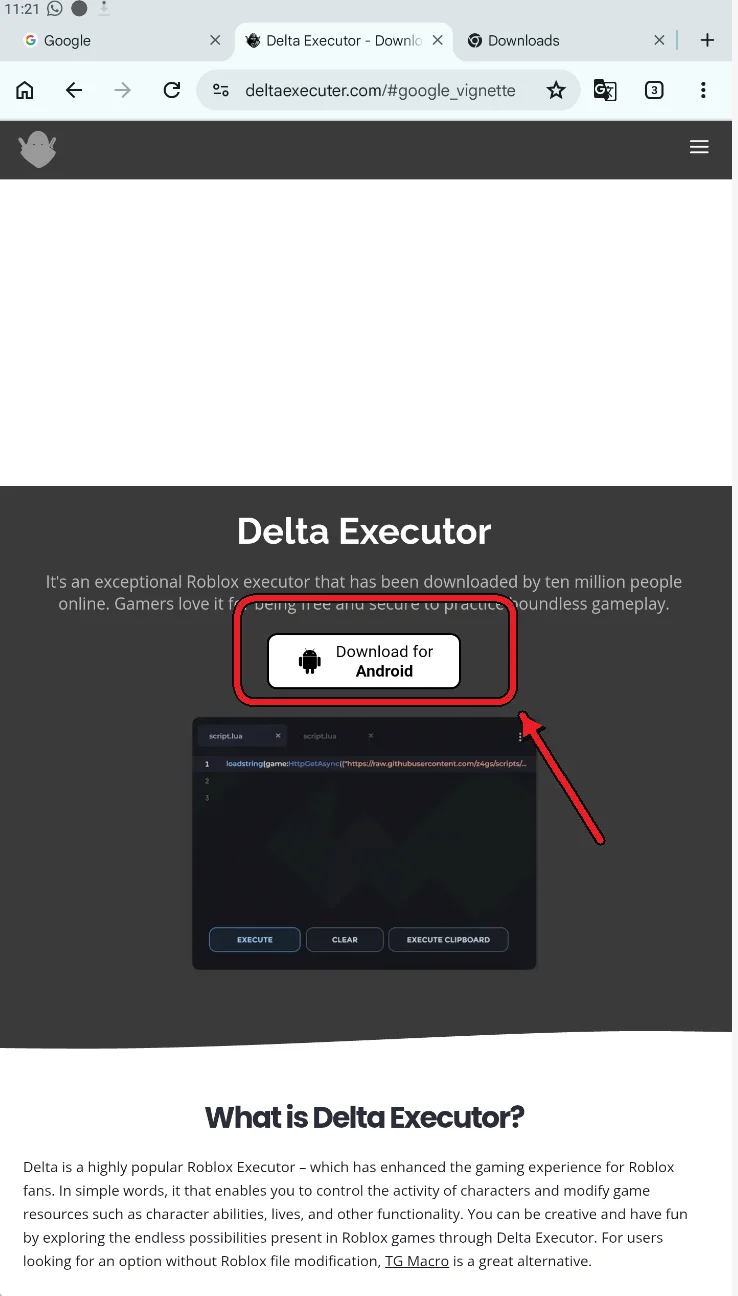
Now that the file has downloaded, simply click on it to install it.
Tip: Before installing the APK, enable installation from unknown sources in your device settings. The exact location of this option may vary depending on your Android version.
Open Delta and log in
On your phone's home screen, you will find the Roblox app. Simply click on it to open it.
Note: There is no delta app, etc. Roblox is still the name of the app. A Roblox executor is injected into the official app.
Log in to your Roblox account and open a game. In this example, we are using Blox Fruits.

Get the Delta Key:
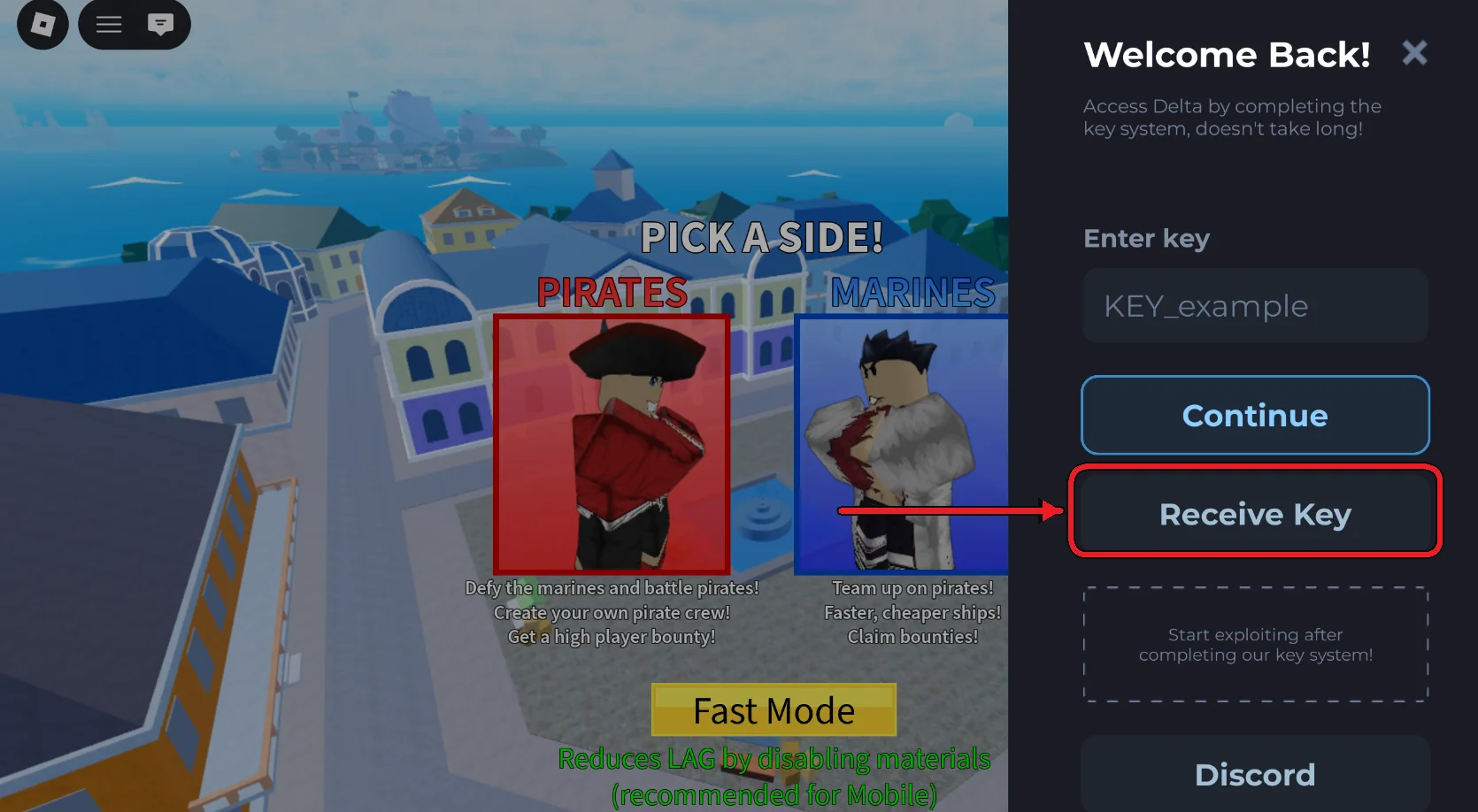
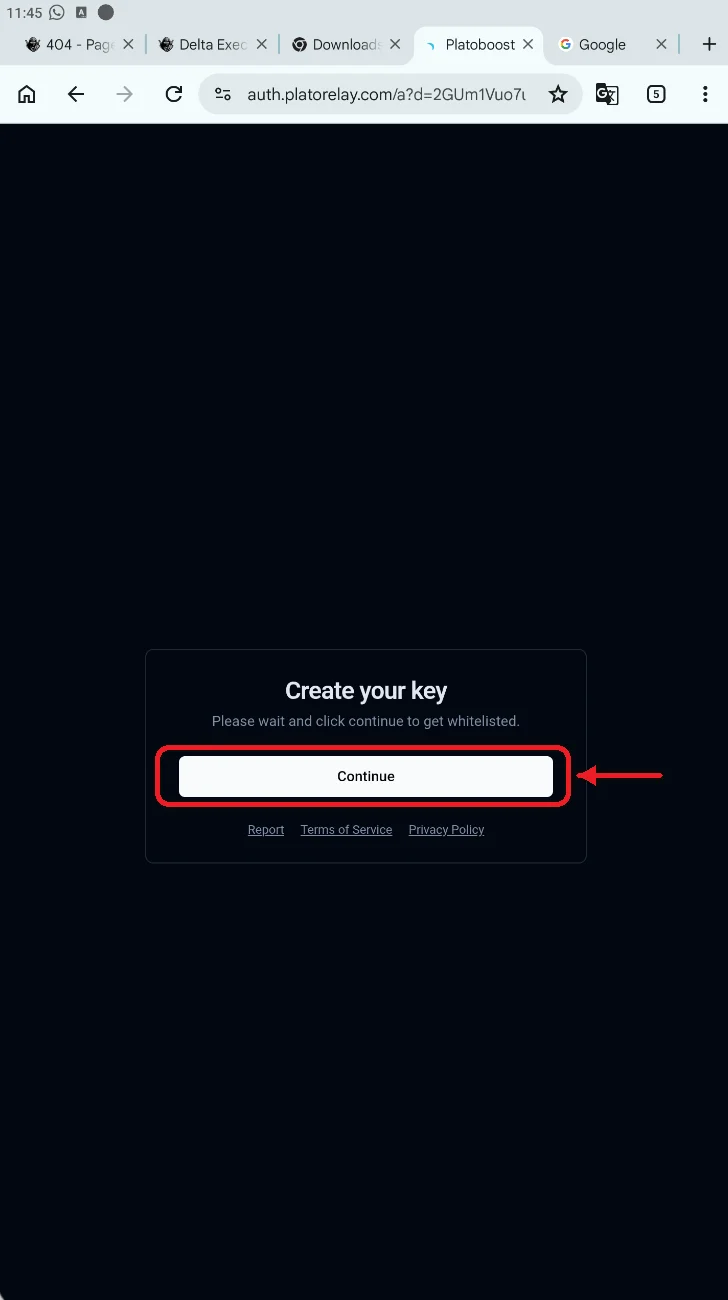
Next step is to get the key. Now click the Receive Key button and it will auto open the browser tab with the checkpoint. Click the Continue button. It may open a new ad tab and close that.
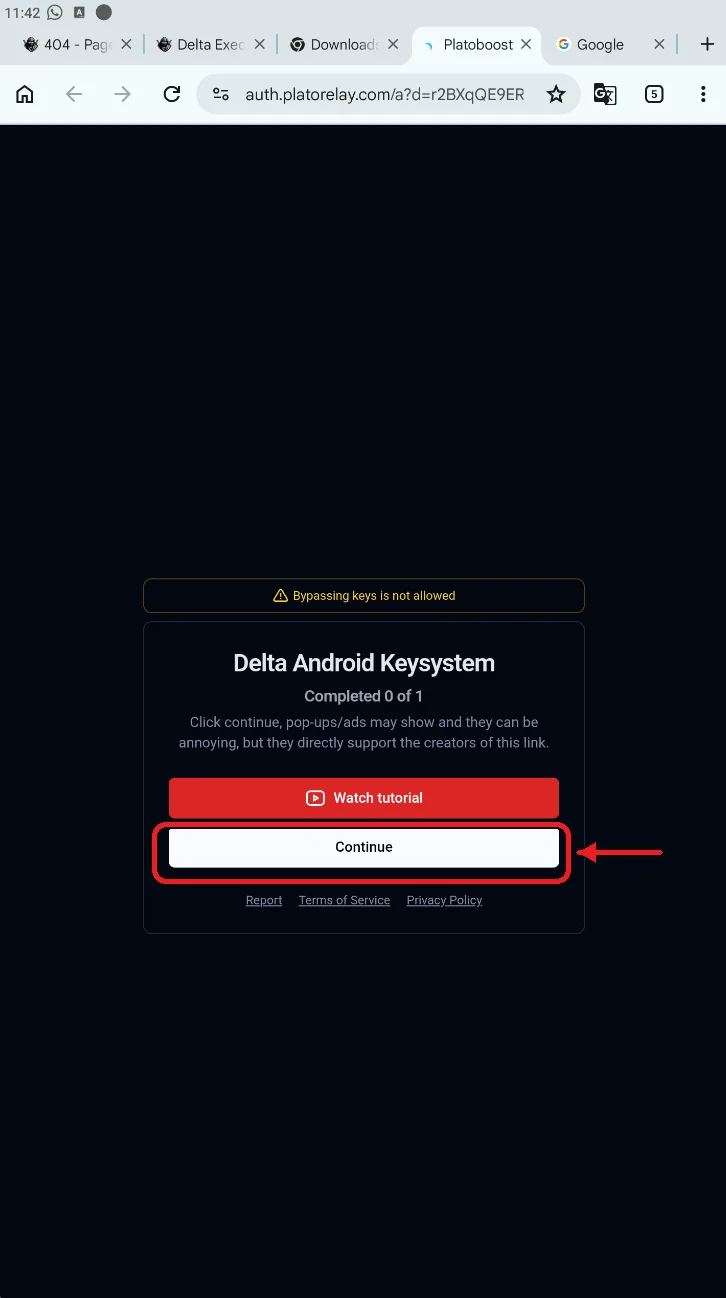
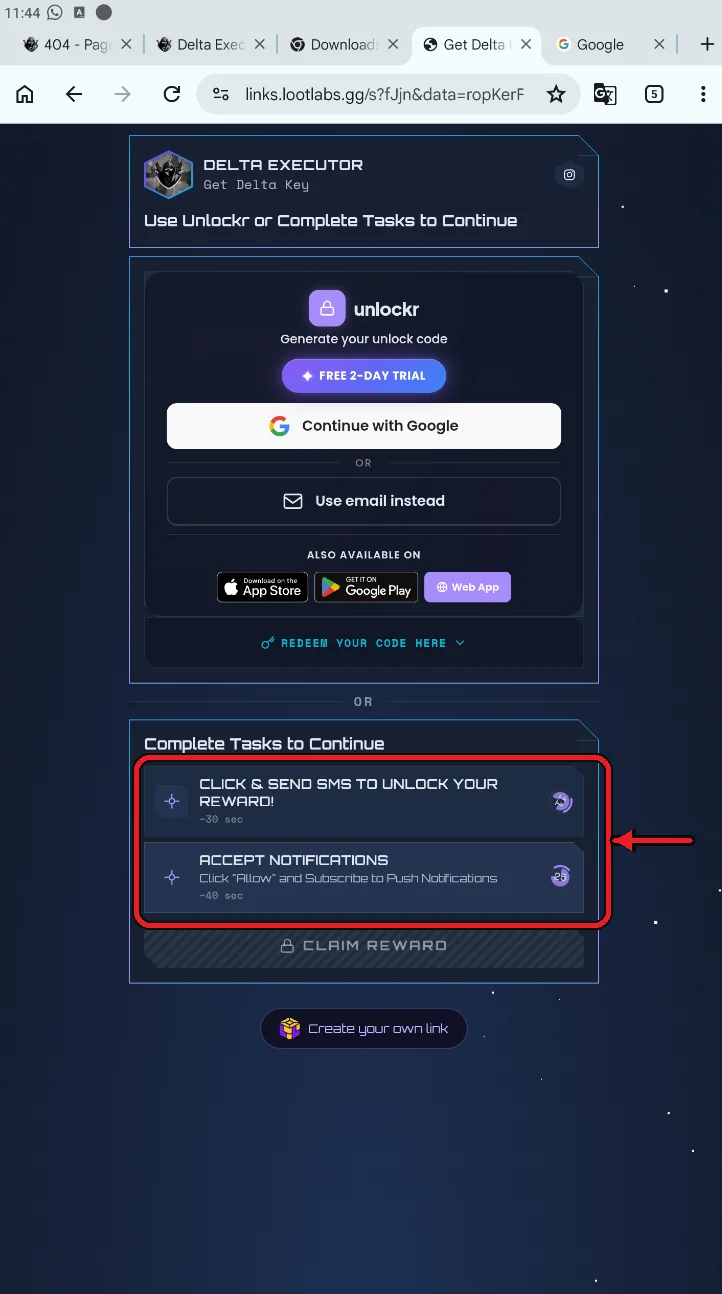
It will now take you to additional checkpoints where you have to complete certain tasks. For me, there are two tasks. Let's open both and wait for a few seconds. Open each required task and keep the page visible for the displayed amount of time. Follow the instructions shown on each checkpoint page. Also, Make sure to keep the screen open while the timer is working.
Now it'll get you to a whitelisted page so you can copy the key and paste it into the Delta Key UI.
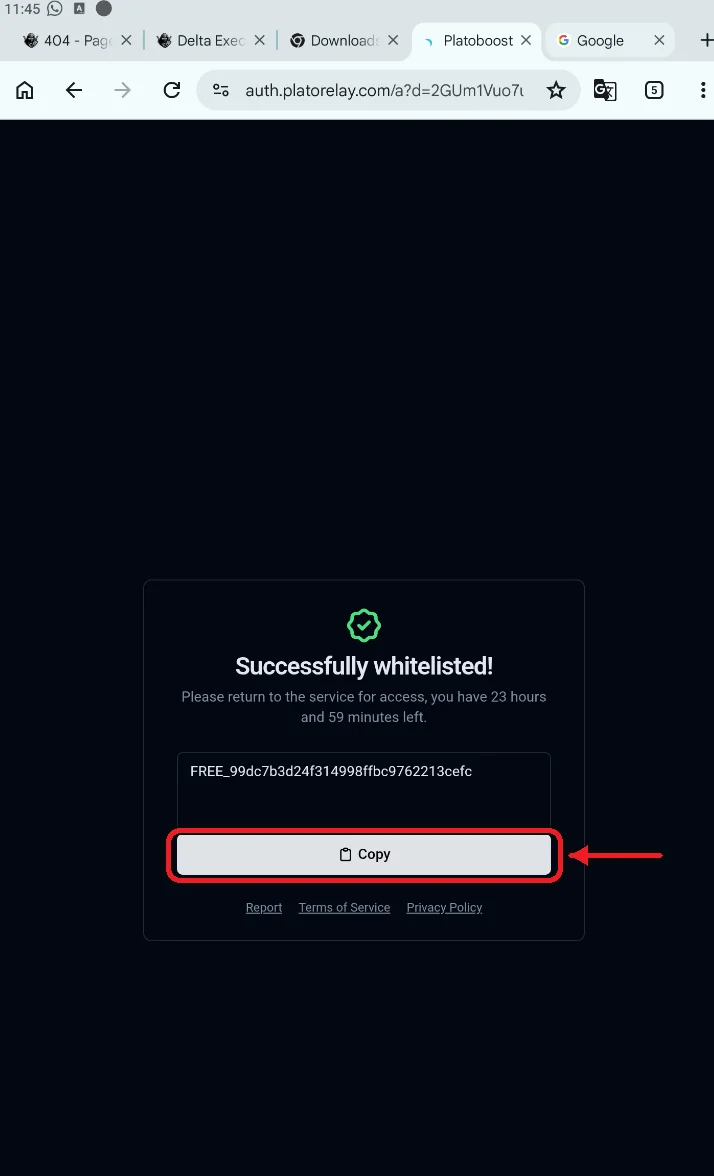
Now paste the key into Delta UI and click continue. That's it.
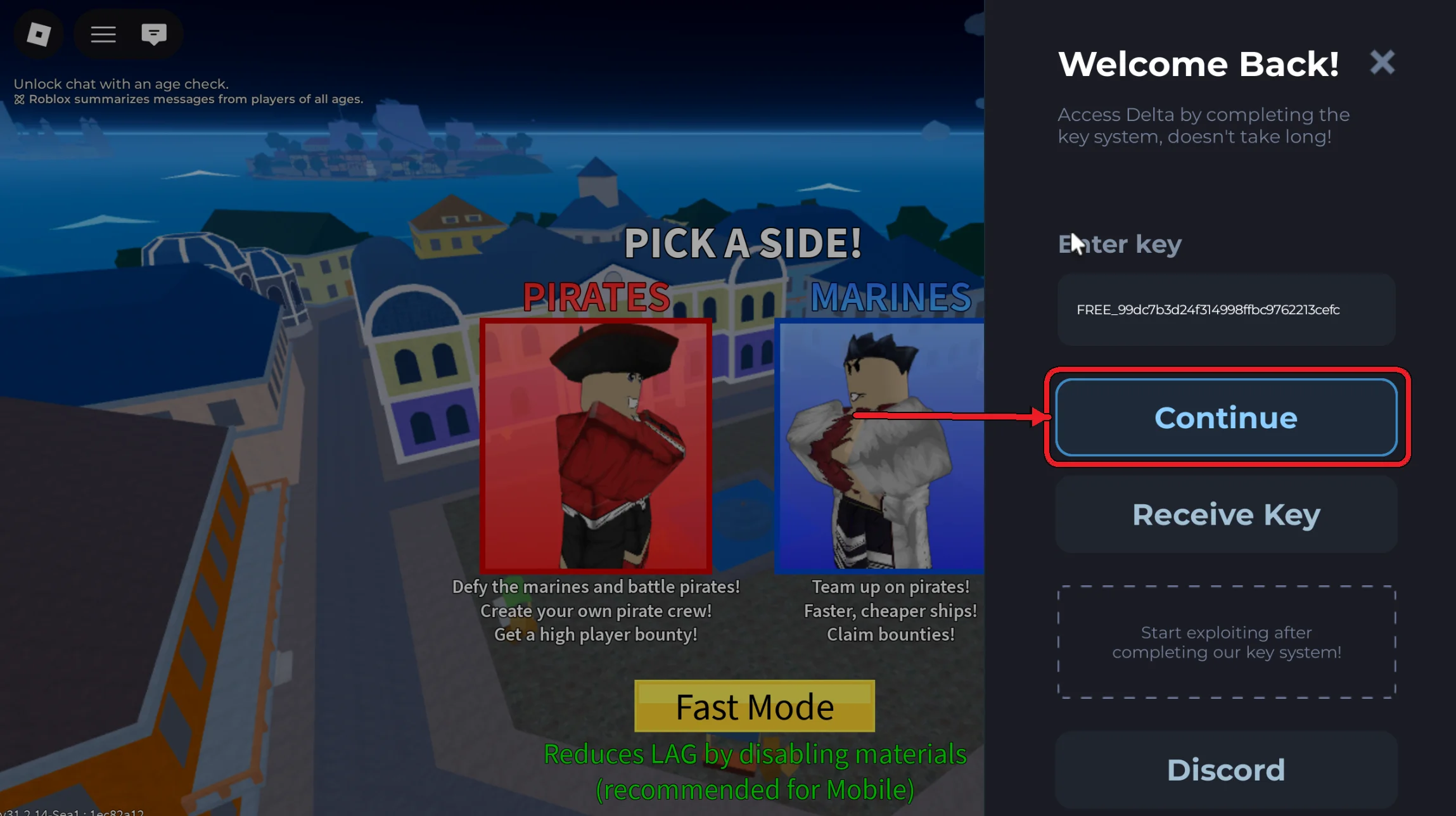
Use the Delta Executor:
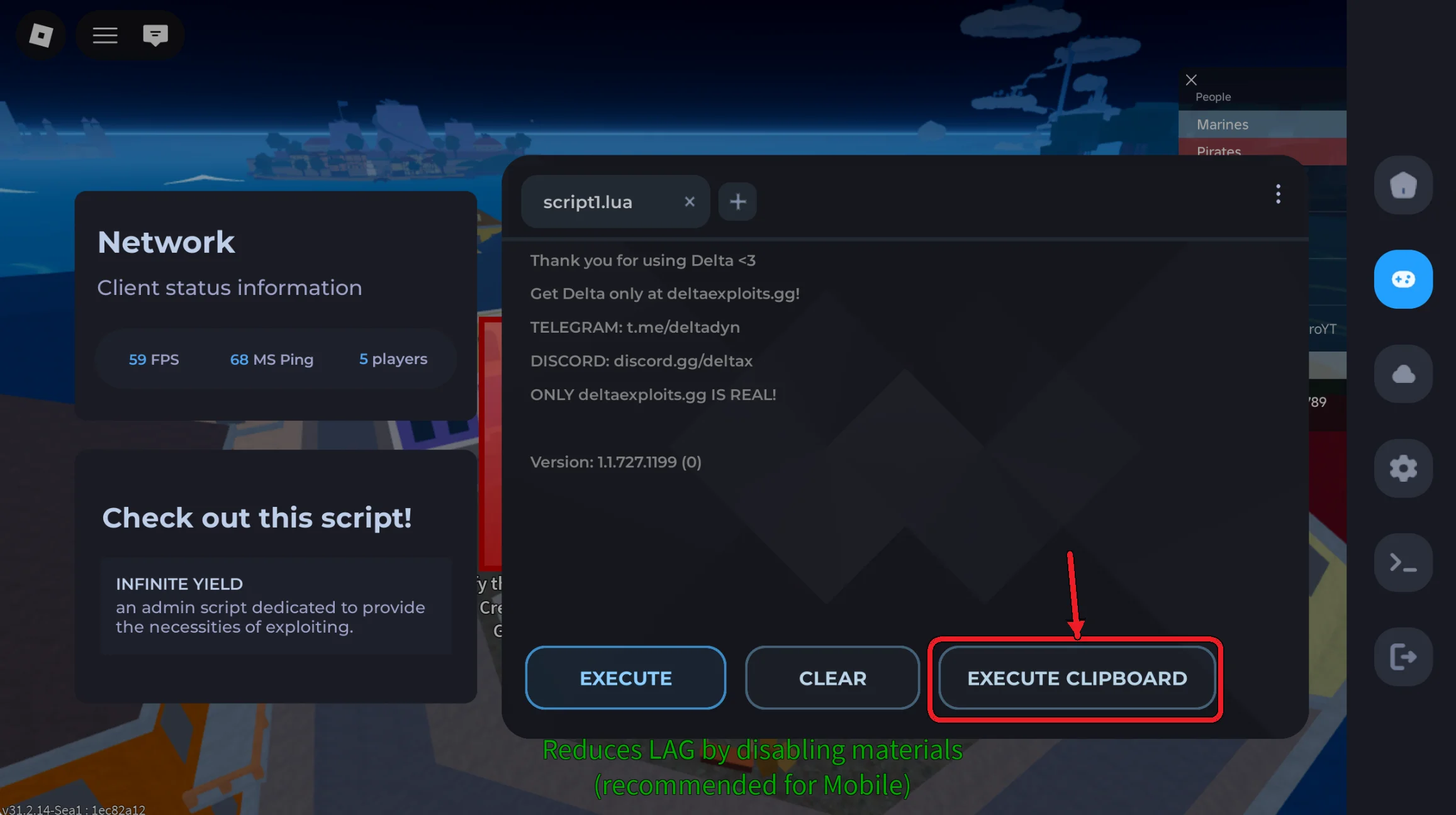
The Delta interface will now appear on your screen. You can run any script you want.
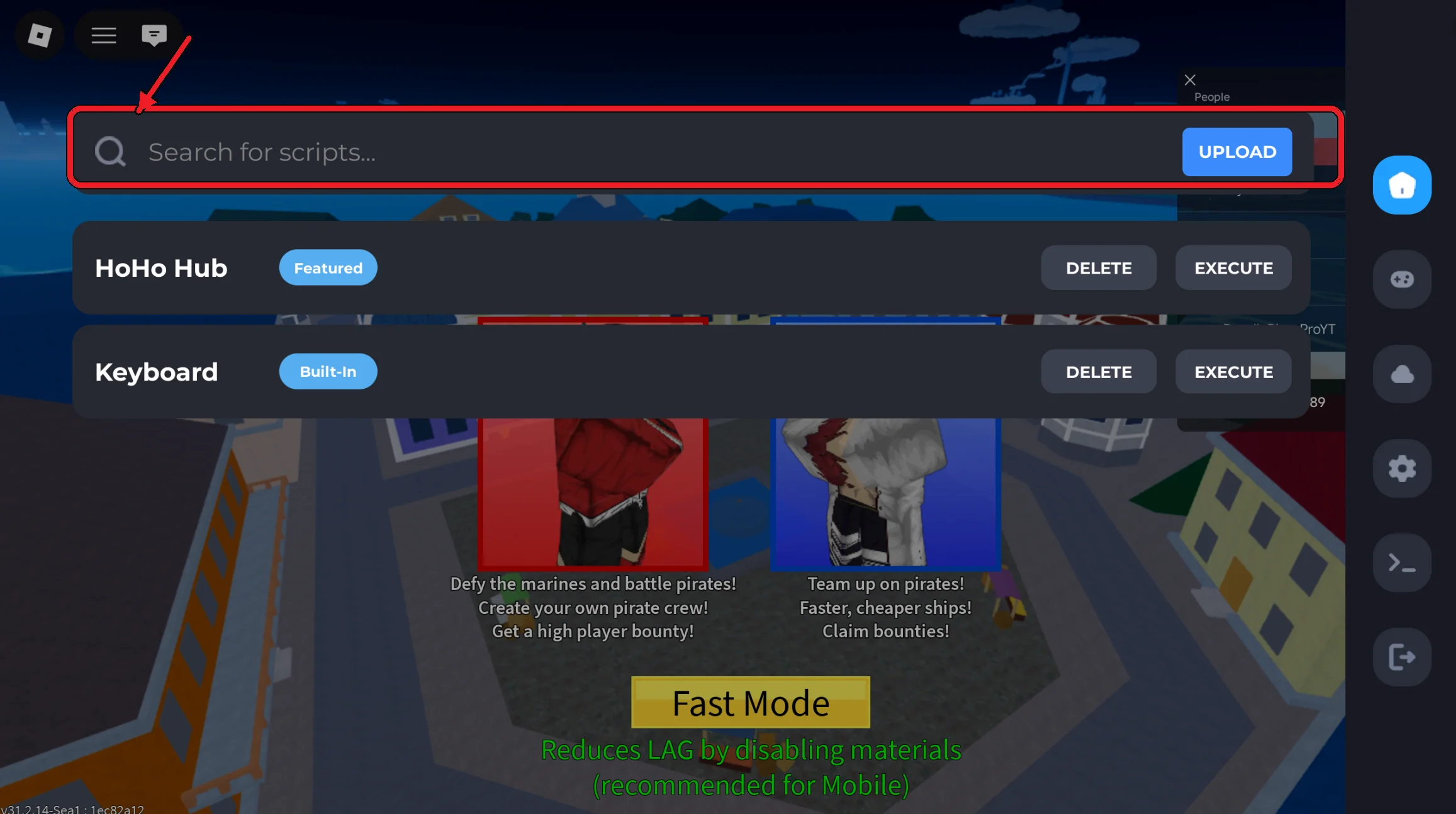
You can also paste your own script from the internet into the script section here:
How to use Delta Executor on iOS and VNG?
The installation process for iOS is slightly different, and you can find the complete instructions on our iOS installation page. The VNG version follows a similar installation process. Once Delta is installed, you can follow the same key-verification and usage steps described above.
How to get Delta Scripts?
The scripts are plain text files written in Lua, which can be pasted into the script interface of the Delta app. These unlock the game's extra features. With AI tools, it is now possible to create custom scripts.
You can find scripts on websites and on YouTube. However, it can also be risky since it can break the game. You can try some scripts such as Blox fruit scripts, Neva Hub, and Hoho Hub. Check out our script section for more information.
FAQs:
-
1. How to update Delta?
Delta does not work with the outdated version. It is therefore necessary to always have the latest version. From our website, you can download the most recent version.
-
2. Delta executor error code 280: what does it mean?
This error code indicates that you have an older Delta version. Download and install the latest version.
-
3. Is Delta Executor secure?
Downloading Delta from its official source may reduce the risk of receiving an altered or malicious copy. However, Delta is a modified Roblox client, so users should still consider potential device-security and account-related risks. Using modified clients may also violate Roblox's rules and could result in account restrictions. Find out more in our guide: Is Delta Secure?
-
4. Is there any better Delta alternative?
Alternatives include Arceus X and Codex. Their features, device compatibility, update frequency, and key systems may differ, so the best option depends on the user's requirements.